How To Guide for Executive Reporting
Purpose of this How To Guide: TeamWork specific detailing for the filing of executive reports.
Owner: Reporting (Damian Kelly)
Applicable to: All Digital Marketing Executives
Customers: All Digital Marketing
Timescale: 5-10 minutes.
SEO
When you finish an SEO task and want to note what was done in that task please can you :
Log your time, then update the time log and enter the note you want to make into Description box, then save the time log.
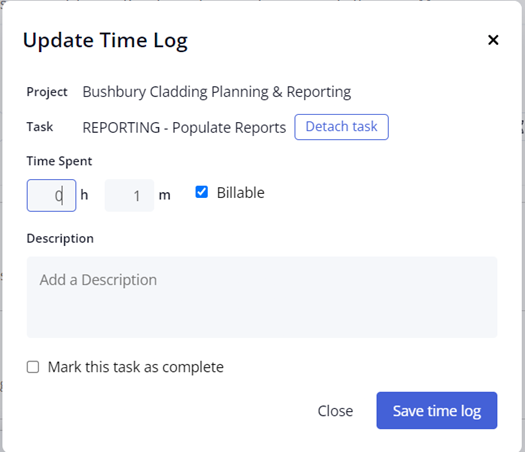
Once saved, please then go back to the time log and click add tags, and tag that time log with “SEO Summary”:
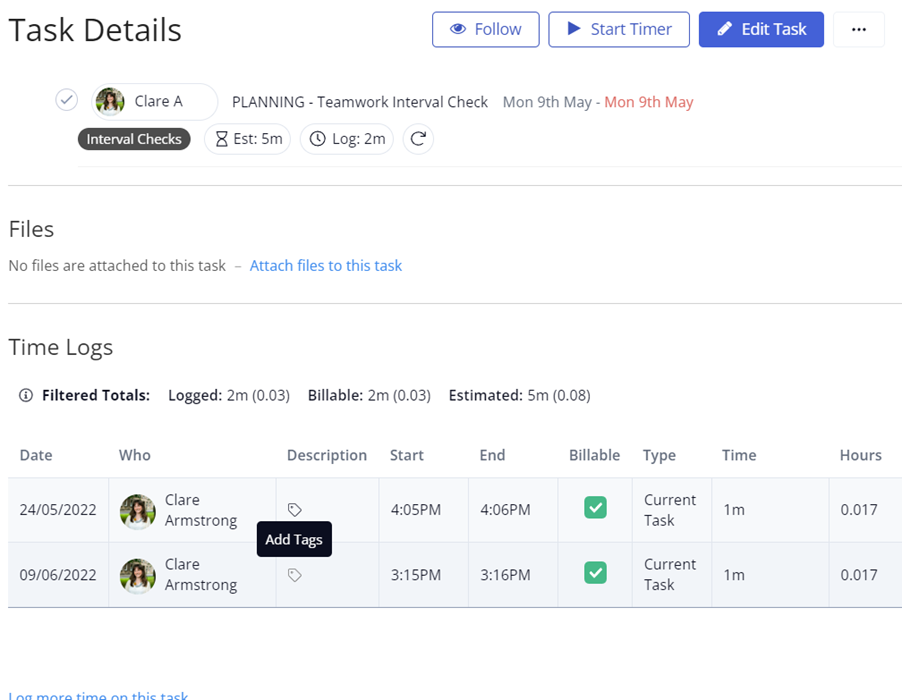
This will allow you to filter by the SEO Summary tag at the end of an interval and you will be able to see a full list of notes you have made.
You will then have an SEO – Month Overview task present in the Planning and Reporting project for the client. Richard is going to be making sure that all DM clients have a Month Overview task as I know some clients do not have it at the moment.
When you log your time against this task, please mark this as “Executive Summary” as this will allow the completed writeup to be pulled into the client report. Please be aware that this will directly pull from teamwork so you need to ensure that the writeup is written with the client in mind.
PPC + Paid Social
After discussions with the reporting team we are currently looking at how we can improve the reporting process.
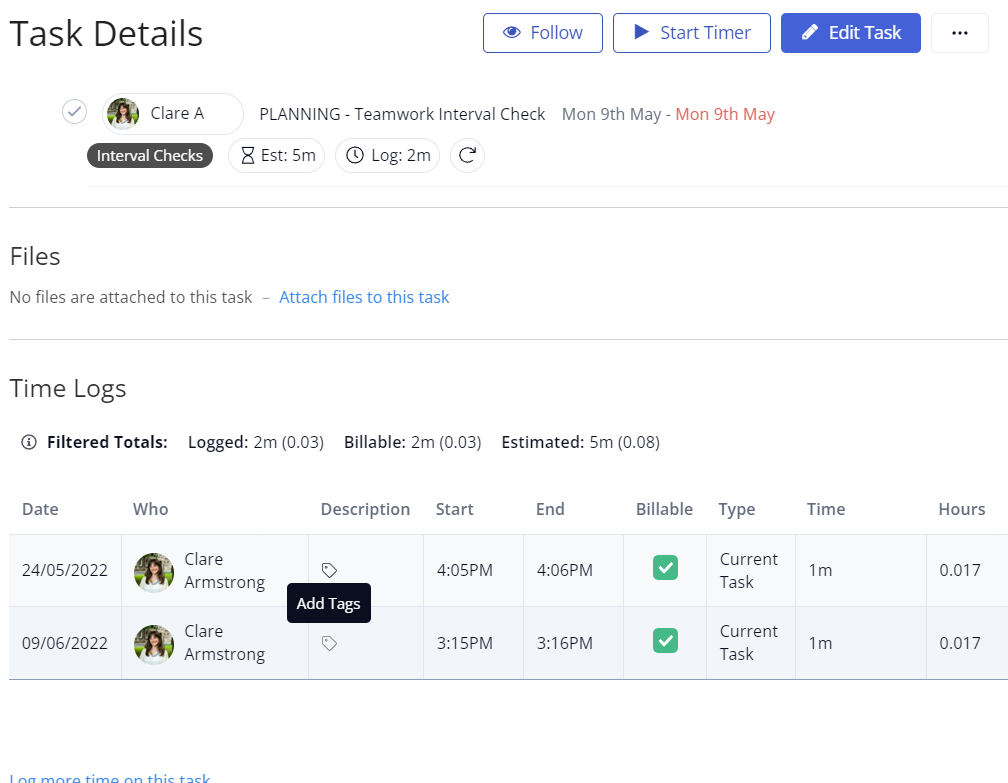
Ed will be making this process automated so that by using the Tag ‘Executive Summary’ this will pull the information from the write-up task into the report.
When you come to do a report write-up for a PPC or Paid Social client please can you update the time log and enter your write-up in the Description box, before saving the time log.
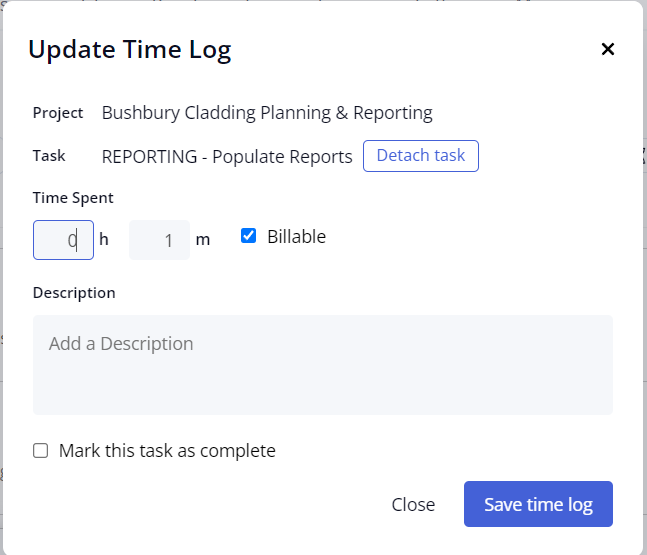
Once saved, please then tag that time log with “Executive Summary”:
Content
When you come to publish a blog:
Log your time as normal and write in here that you have uploaded the blog to the website. This DOES NOT need to be tagged as executive summary.
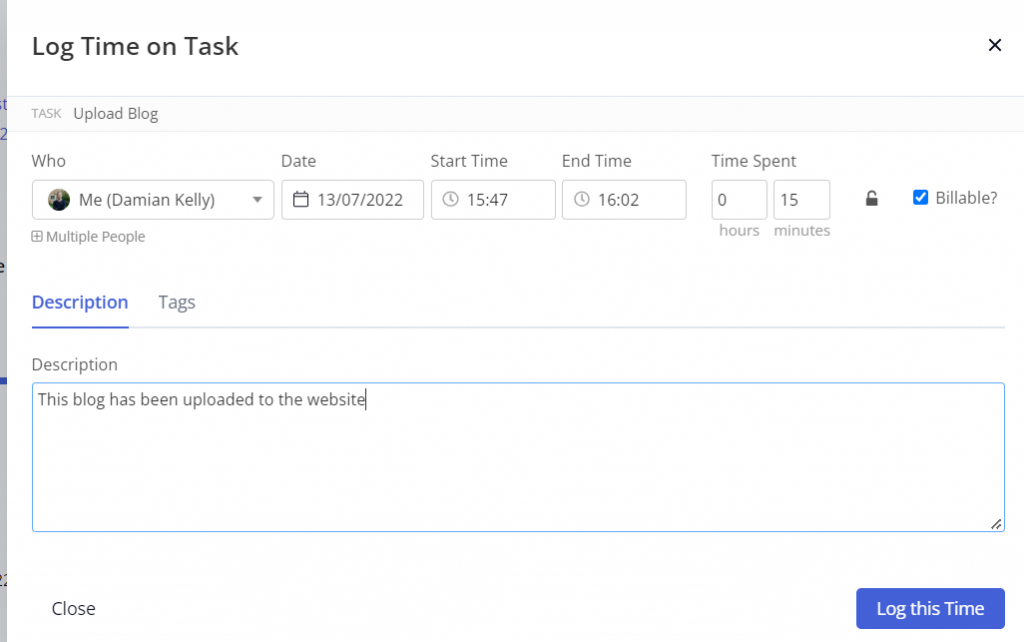
Once saved, please complete the task.
Then go back to the parent task, this is where you will have logged your time to write the blog initially.
You will need to log time in this task (1 minute), you need to copy the URL ONLY into this time log as below:
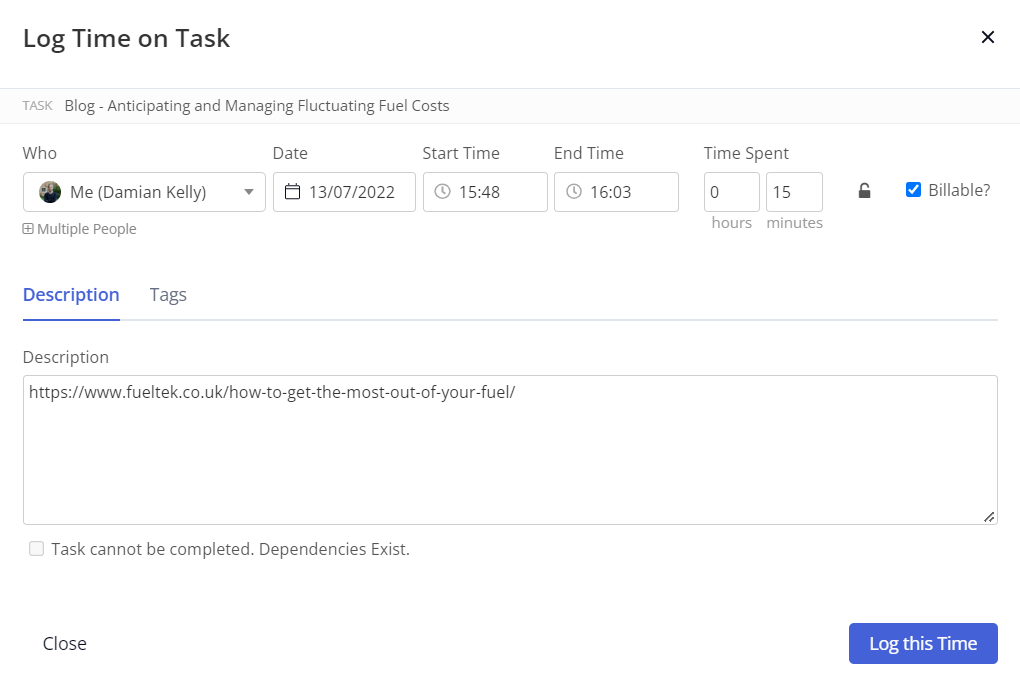
THIS NEEDS TO BE TAGGED AS EXECUTIVE SUMMARY
Once you have saved this time log then complete the task as you normally would.
By doing this Damo will be able to pull through all published links and reports simply by filtering using this executive summary tag. The title of the task will pull into the report and the date you complete the task is also pulled automatically, so the only data we need you to add is the blog URL.