Reporting – How to – Reporting Write-ups
Purpose of this How To Guide: Specifics and detail of logging reports write-ups in Accelo.
Applicable to: All departments reporting on work.
Customers: Any with Monthly Contracts
Timescale: Completion of Tasks.
Introduction
When completing a task or writing an activity in Accelo that you intend for the customer to see in their report, it is important that the activity is tagged appropriately so the reporting team and any automations can find the activity easily.
This guide demonstrates the actions required to ensure your reporting write ups are found and make their way to the report.
Process
Reporting is the last responsibility of the for certain tasks. For example:
- Blogs
- SEO Health Checks
- Onsite SEO
- Blog Management
- Report Write ups
Once the work has been done for any of these Tasks the Exec’ should log one final Activity (as part of completing the Task from a Timer).
The format of this is crucial to the smooth running of the reports.
There are 3 things to look out for:
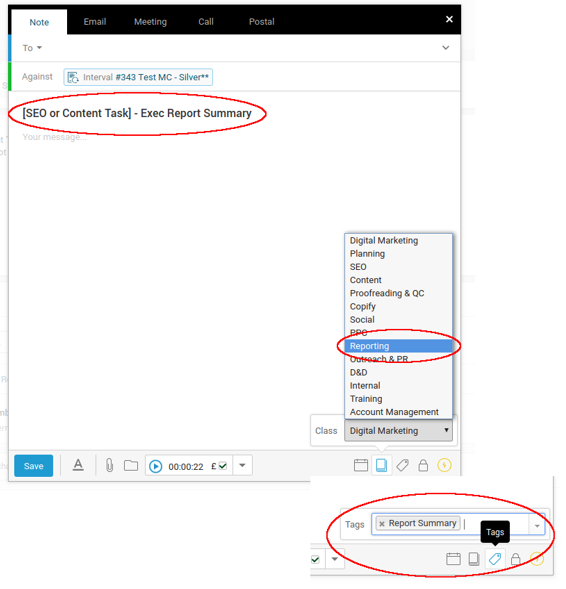
- The Title – simply append ” – Exec Report Summary” to whatever you need to title the logged activity.
- The Activity Class – Select “Reporting”.
- The Tags – find “Report Summary” and select it.
In the following screenshots these are circled. The first shows the window that appears when logging an activity – note that the Activity Class and Tag entries are found in the lower right.
The second screenshot shows the activity that would be logged in the first screenshot as it is registered in Accelo in the stream against the Task and Interval.
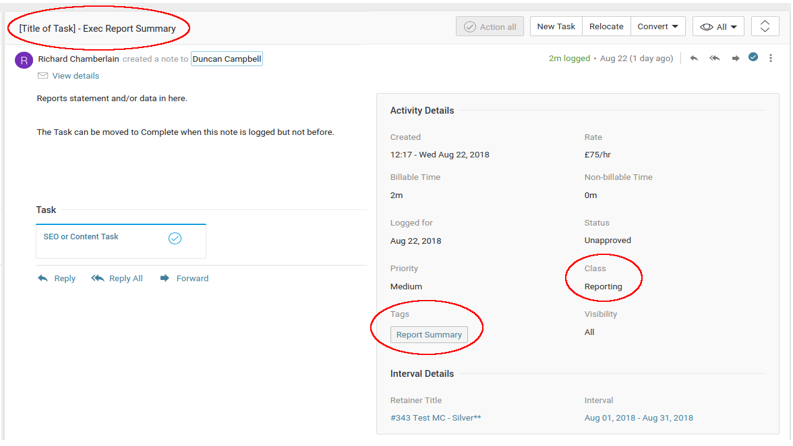
Once this last activity is added to the Task then the Task can then be marked as Complete.
The exception to this is when some piece of work (usually a blog) is with the client for Approval yet still needs reporting on at that stage. These Tasks remain in the Started Status and should have a second Exec Reporting Summary logged when approved and then Closed.
Other Notes
To give you an idea of what happens with these logged reports here are some screenshots of the Google Sheet and the final sheet in the client report.
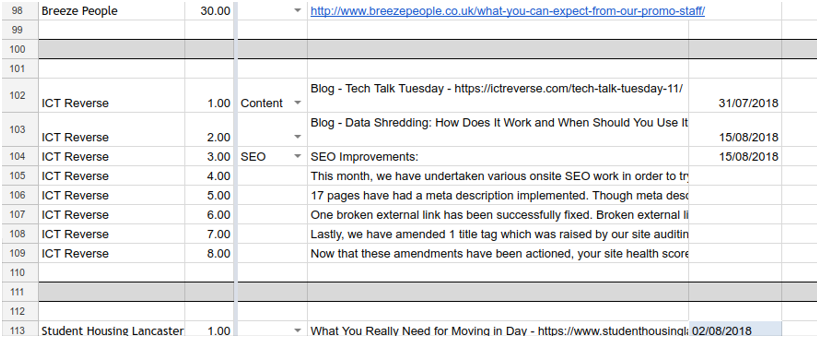
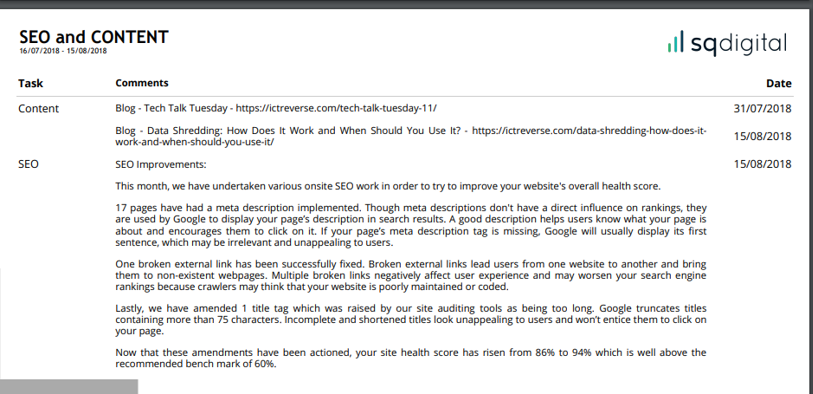
SEO and Content staff need not be concerned with this necessarily – currently this is the domain of one Megan Greenwood, who is the current Reporting bod.