CONTENT – How To – Blog Management
Purpose of this SQ How To: This how-to guide explains how to carry out blog management within the CMS for a client.
Applicable to: Content Team
Customers: All
Timescale: Dependant on amount of time dedicated to the task. Usually ranges from 30 minutes to up to 2 hours.
Introduction
Blog management guarantees a positive and easy user experience.
This work includes ensuring the meta data is in each blog (usually within the SEO plugin area) – including the SEO title, SEO description, the appropriate keyword and links.
It also involves some general housekeeping; checking blogs have no broken images or links, and making sure the format works for a user-friendly experience. Making sure the blog includes H1s or H2s (or other heading formats) as necessary.
Step by Step
Firstly, make your way into the clients WordPress (or other CMS) and find the blog posts section. There should be a plugin installed which will provide sections for SEO title, SEO description and keywords.
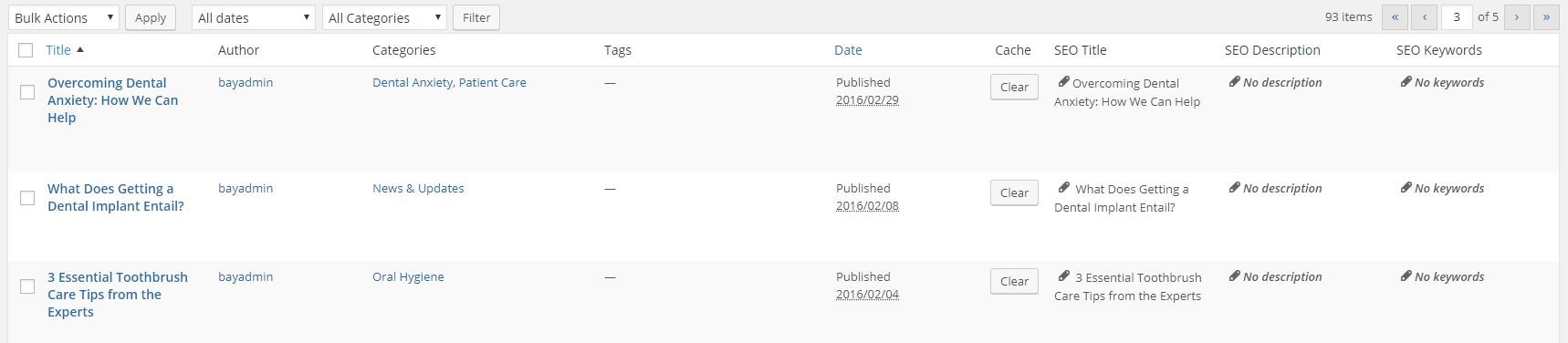
If you go into the individual blog which needs attention, below the main content, you will see a box which looks like this:
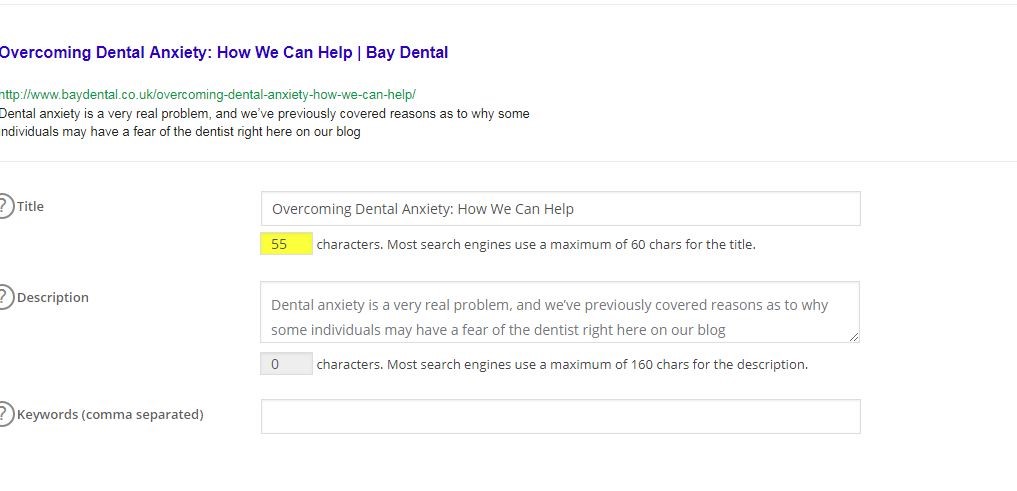
SEO Title – This should be the similar to the title of the blog. This text will display on Google and will be the main clickable element. This should be no more than 60 characters in length.
SEO Description – This is what google shows underneath the title as a description. This should give an overall explanation of the blog – a kind of conclusion. It should be no more than 160 characters.
You can see the SEO title and description below:

SEO Keywords –
Internal Links – Internal links help with internal navigation around a website and assist Google in crawling a web page. Always be sure to include relevant keywords as internal links within your article, most task descriptions will have keywords and the relevant link where they should be directed to. It’s important not to include too many internal links a single blog as Google can identify this and may punish the website you are working on.
Images and Alt attributes – You should always ensure that there are no broken images in any blog. It is usually a good idea to scroll through the blog first (not in the CMS) to see if anything obvious catches your eye which needs fixing. All images should have alt attributes, so make sure each blog image has one. This should be a brief description of what the image is as this helps for SEO purposes and for user experience.
Accelo Timer and Report
You should have a timer ongoing while carrying out blog management, so you can track how long it takes you and log appropriately.
Once completed, you should put what you have done in the client’s report, including pages you have worked on and specifically added links to.