SEO – How To – Page Optimization
Purpose of this How To Guide: To ensure all SEO Executives know what is expected of them when conducting on-page optimization.
Applicable to: SEO Executives
Customers: All
Timescale: Time may vary depending on what has already been done / what needs implementing.
Introduction
Technical on-page SEO is one of the main ranking factors that Google takes into consideration. As an SEO, a major part of your role is to successfully implement technical SEO to optimize a website’s page.
These technical skills will form the foundation upon which you will build you rankings using other SEO-related techniques and, before you start, it’s necessary that you know which keyword you will focus on for each page.
The Perfectly Optimized Page
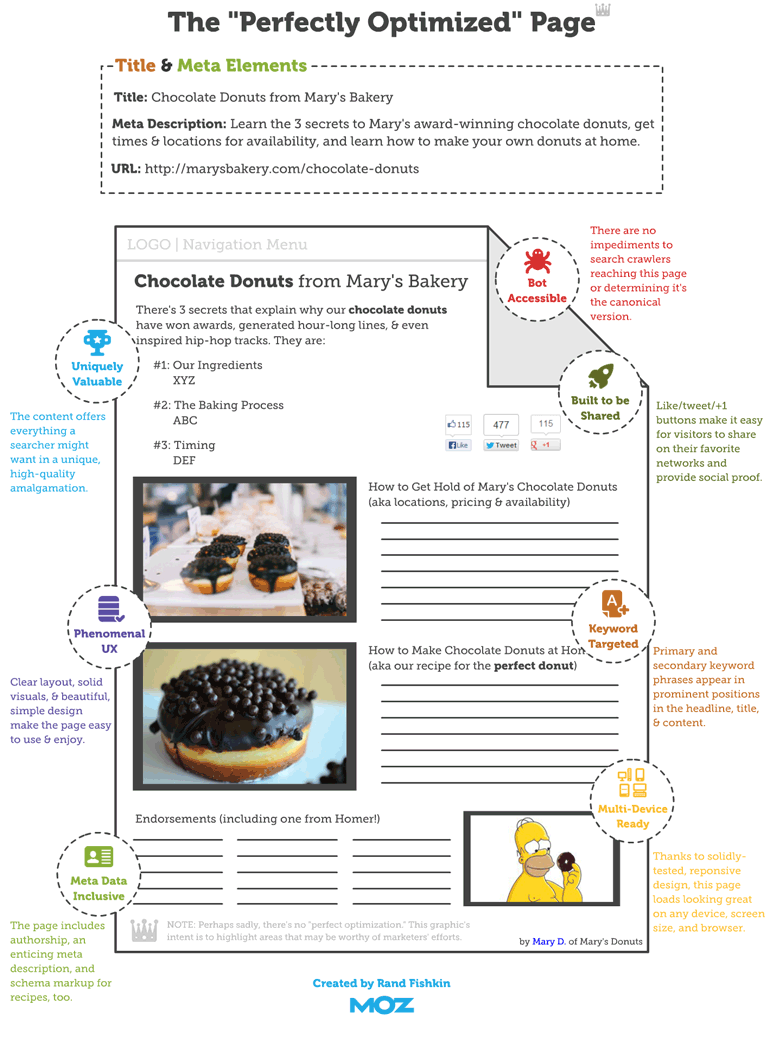
Analysing Onsite Content in SEMRush
Search engine spiders don’t read or see images or design, just content and computer code, so it’s important that pages in a website contain content.
In order for it to rank well you must have great quality content that is both informative for users and relevant to the search query. As a rule of thumb, content needs to contain at least 300 words in order to have an impact on rankings.
In SEMrush, you can also use the Content Template Tool. Simply place the keyword into the search field and make sure the location is set to the United Kingdom (if the website / business is targeting the U.K.) before clicking on the ‘Create SEO Template’ button.
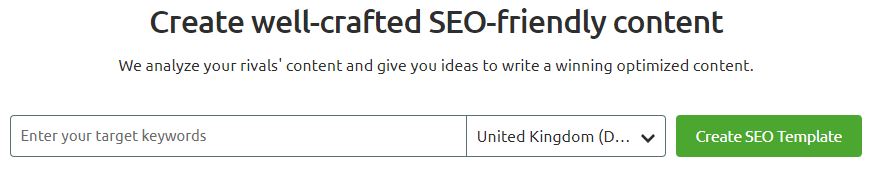
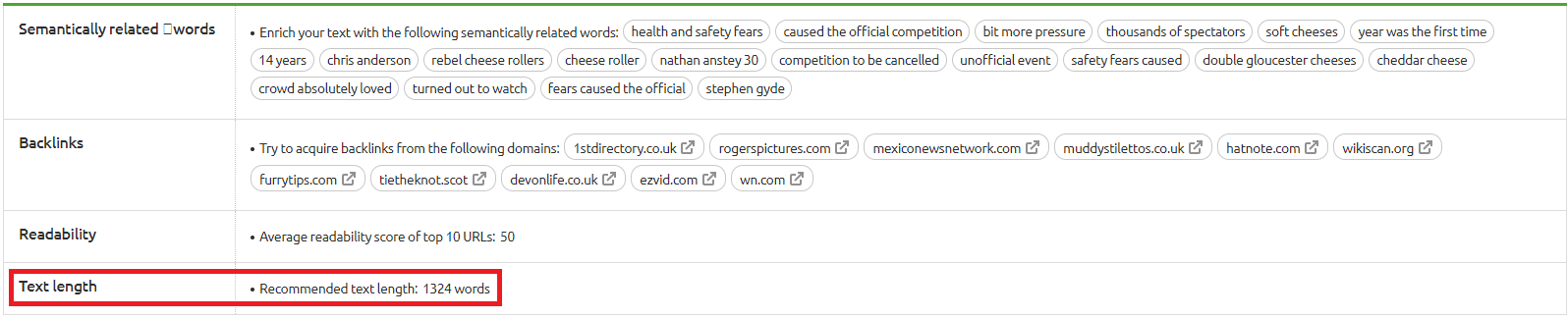
This widget will analyse the top-10-ranking rivals for each of target keywords you place into the search field and return a set of results, including recommendations for text length.
- TIP: You will often see that this number is significantly more than that of your existing content . If this is the case, DON’T WORRY. As long as you aim at least 300 words and provide high quality information, Google will see this. If you already have 300 words in your current content aim to double it one set at a time, working towards the length recommended by SEMRush, in order to measure if increasing content will definitely have an effect.
Optimizing On-page Content
All on-page content must be optimized by inserting the target keywords throughout. As a rule of thumb and minimum the keyword must always appear in the page title (H1), the first paragraph and in at least one of the subheaders (H2 or H3).
Be careful not to overdo this, as too many keyword instances can cause what is known as ‘keyword stuffing’ and this can have negative effects on your page’s SEO. There is no correct keyword frequency but as a rough guide, you may expect to find between five and seven instances on a page of content that’s 350 words, including related terms, for example: houses to rent in Brighton, Brighton rentals, houses to let in Brighton.
Watch Out For Duplicate Content
Duplicate content is content that appears on the Internet in more than one place. That ‘one place’ is defined as a location with a unique website address (URL) – so, if the same content appears at more than one web address, you’ve got duplicate content.
While not technically a penalty, duplicate content can impact search engine rankings. When there are multiple pieces of, as Google calls it, ‘appreciably similar’ content in more than one location on the Internet, it can be difficult for search engines to decide which version is more relevant to a given search query.
Meta Data
Meta data is a crucial element of page optimization. It includes:
- Title Tag – A HTML element that specifies the title of a web page. Title tags are displayed on search engine results pages (SERPs) as the clickable blue headline for a given result, and are important for usability, SEO, and social sharing. The title tag of a web page is meant to be an accurate and concise description of a page’s content, therefore, it must always include the target keyword, with no exception. Title tags are also subject to character limits, the recommended practice is to stay within 70 characters in order for the whole content to show on SERPs’ listings.
- Meta Description – HTML attributes that provide concise summaries of webpages. They are between one sentence to a short paragraph and appear underneath the blue clickable links (Title Tag) in a search engine results page (SERP). Meta Descriptions are also subject to character limits, so the best practice is to stay within 170 characters and always include the targeted keyword.
- Alt Text – Used within an HTML code to describe the appearance and function of an image on a page. You can usually come across this element when adding images to a page. Alt Tags should describe what the picture is and if possible contain the targeted keyword. It’s more important that the description is more relevant to the content of the picture than the keyword in question.
- Canonical Tag – A way of telling search engines that a specific URL represents the master copy of a page. Using the canonical tag prevents problems caused by identical or ‘duplicate’ content appearing on multiple URLs. Practically speaking, the canonical tag tells search engines which version of a URL you want to appear in search results.
- TIP: Character limits are enforced for Title Tags and Meta Descriptions. There are many tools out there that can help you access if a phrase or paragraph is too long or has too many characters, including: Google SERP Snipped Optimization Tool and the Snippet Optimizer.
URL Structure
A URL or “web address” is the human-readable text that replaces the numbers (IP addresses computers use to communicate with servers. They also identify the file structure on the given website. A URL consists of a protocol, domain name, and path (which includes the specific subfolder structure where a page is located) and has the following basic format:
protocol://domain-name.top-level-domain/path
URLs are another factor Google takes into consideration when ranking pages, therefore, the target keyword should always be present in the path of the URL address. For example, SQ Digital’s page relating to content marketing has the following address:
https://www.sqdigital.co.uk/content-marketing-agency/
- TIP: If you change the URL of a particular page to optimize it for a certain keyword, you will have to redirect the original address to the new one as URLs, once created and live, are never lost or deleted and if left unresolved, the old URL will show as a 404 (page not found) or duplicate content, which Google marks negatively.
Other Technical Requirements to Consider
Redirects – A redirect is a way to send both users and search engines to a different URL from the one they originally requested. The most common type of redirect you will utilise is a 301 redirect. A 301 redirect is a permanent redirect which passes between 90-99% of link equity (ranking power) to the target page. 301 refers to the HTTP status code for this type of redirect.
In most instances, the 301 redirect is the best method for implementing redirects on a website. The most common purpose of a 301 redirect is to redirect crawlers to a relevant page in the wake of a 404 error / URL change. As each CMS deals with redirects differently, please ask a Senior SEO Executive or your line manager for advice / assistance prior to implementation.
Page Speed – You can evaluate your page speed with Google’s PageSpeed Insights. Google has indicated site speed (and as a result, page speed) is one of the signals used by its algorithm to rank pages, and research has shown that Google might be specifically measuring time to first byte as when it considers page speed. In addition, a slow page speed means that search engines can crawl fewer pages using their allocated crawl budget, and this could negatively affect your indexation.
Page speed is also important to user experience. Pages with a longer load time tend to have higher bounce rates and lower average time on page. Longer load times have also been shown to negatively affect conversions.
If you believe a website to be slow, raise this with the relevant Account Manager before sending a request to the Developer team for a quote to see how long it will take to make changes to improve the speed score.
Schema Markup – This is a semantic vocabulary of tags (or microdata) that can be added to HTML to improve the way search engines read and represent your page in SERPs. It helps you provide the information search engines need to understand your content and provide the best search results possible. Adding Schema markup to your HTML improves the way your page displays in SERPs by enhancing the rich snippets that are displayed beneath the page title. Check the How to Guide to How to Implement Schema Mark Up for more information.
Hierarchy of page within the website – pages should never be orphan or disconnected from the rest of the website. They should always follow a hierarchy, make sure that if you add a new page, this is updated on the sitemap and if this page is part of a category or set, that it’s connected to the parent page or category appropriately.
Quick Recap
An ideal web page should do all of the following:
- Be hyper-relevant to a specific topic (usually a product or single object), in other words, a keyword:
- Include subject in title tag
- Include subject in meta description
- Include subject in URL and redirect old address if URL is changed
- Include subject in image alt text
- Mention subject several times throughout text content including associated terms. As a minimum, always mention it on the first paragraph, page title and at least one subheader.
- Include unique, relevant content about a given subject
- Include the appropriate Schema or Structured data mark up to enhance the content
- Upload in good speed
- Observe the Hierarchy of the website:
- Link back to its category page
- Link back to its subcategory page (If applicable)
- Link back to its homepage (normally accomplished with an image link showing the website logo on the top left of a page)
- Be included in the site’s sitemap