SEO – How to – Conduct & Implement Keyword Research
Purpose of this How To Guide: To successfully conduct keyword research for clients and incorporate it into a keyword plan which will then be implemented after approval.
Applicable to: SEO Executive
Customers: All
Timescale: This should take approximately 5 hours to complete including implementation. Typically divided into: 3 hours for the keyword list research, 1 hour to write the keyword plan and 1 hour to implement it.
Introduction
You will generally perform a keyword research for a new client and they tend to fall into two main categories:
- those with an existing website that needs optimising or has been optimised previously and needs updating
- and those with a brand-new website that needs to be optimised from scratch
We will keep both these scenarios in mind in this guide.
As part of the onboarding process, a keyword plan must be created and sent to the client for approval. A keyword plan contains a list of all the keywords that we will be optimising the client’s website for in a detailed and structured order.
This plan will form the foundations of the client’s digital marketing campaign, so it is critical that you get this right.
Get Information from the Account Manager
Before you start your keyword research, have a chat with the Account Manager for the client to see if they have any insights that they can share about the company, what they want to achieve (KPIs), what intent they are trying to establish with organic targeting, what their target audience’s demographics are and what they feel is a priority.
If the website is pre-existing, ask the account manager to check if the client already has a keyword plan or a list of keywords. While we will not always use this (previous) plan, it will serve as reference for the research we are about to perform.
By establishing these facts about the client, you are also more likely to create a solid keyword plan that the client will be happy with.
TIP:
- This information should be passed on to you during the onboarding handover meeting after the client has signed for their contract. However, if the meeting doesn’t take place for whatever reason, it is very important that you seek this information yourself by going to speak with the Account Manager / setting up a meeting with them.
Check Previous Optimizations
When dealing with a pre-existing website, you will have to check what it’s already optimised for. A quick assessment can be done by looking at an existing keyword plan (if they have one) or checking what keywords appear on the:
- URL
- Title Tag
- Meta Description
- h1
While we might not be sticking to these keywords, we still need to be aware of what they were previously, and we can use them to find new, better alternatives. Create a second tab on the Keyword Plan Template document and fill in all the sections for the current optimisation. Keep them aside until you have performed your research.
Conducting Keyword Research
IMPORTANT: If the website is substantially large, for instance an e-commerce site, we will work to optimise in between 10 to 20 pages at a time not including content, usually starting with navigation menu pages, followed by category pages and popular landing pages. Product pages are optimised when relevant as a last wave of optimisation. If the pages have to be optimised with content, we would be looking at a maximum of 5 pages per interval. Otherwise, we will optimise the main elements of the page (URL, title tag, meta description, h1) 20 pages maximum at a time and come back adding content once all pages’ basic elements have been optimised.
Once you have a generic idea of what the client is trying to rank for, there are a number of tools that you can utilise for conducting keyword research. The idea is to drop the main keywords the client is trying to rank for into these tools, shive through the information and collate the most relevant results – keywords with the highest or most beneficial search volume.
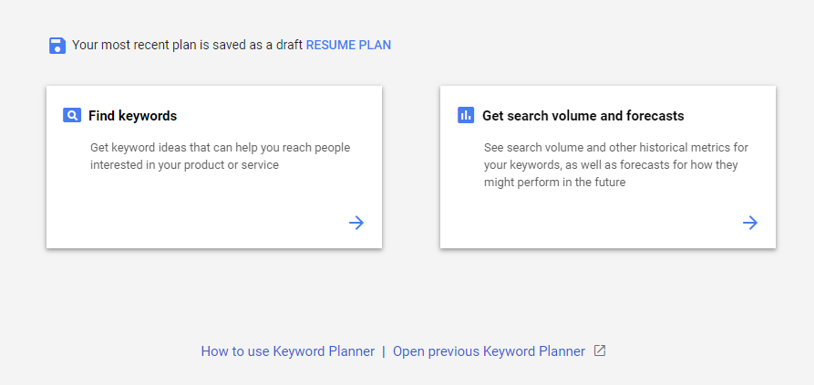
- Google’s Keyword Planner. This is the official keyword research tool from Google which should be your first port of call. It’s from here that you will get the search volume for keywords and also find keyword ideas.
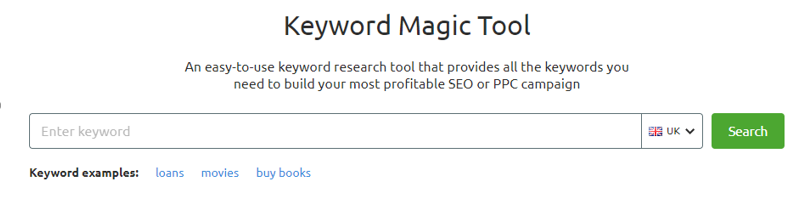
2. SEMrush’s Keyword Magic Tool – This works on a similar principle to Google’s Keyword Planner.
3. AnswerThePublic is an online free tool that gives you the most commonly asked questions online for a subject / keyword. This tool can also help you collate content ideas for a page.

4. SERP Recommended queries – found at the bottom of any search query results page, these suggestions can also help identify related keywords.
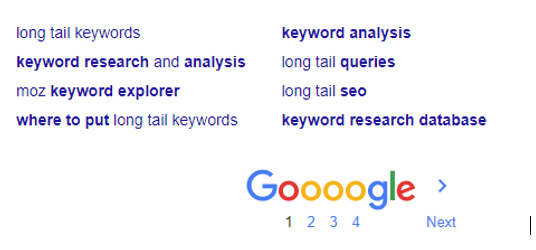
5. Google Images Categories – similar to the recommended queries above, it can help you find semantic variations of keywords / phrases.

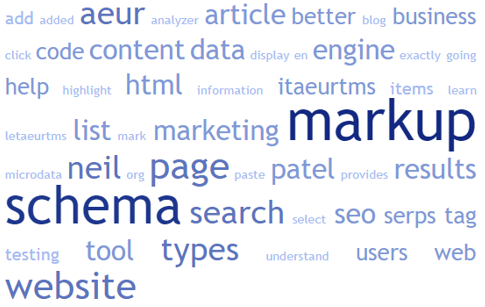
6. Word Cloud Generator, such as TagCrowd, are particularly good for those who prefer visual representation, this is also a great tool to use in proposals for clients whose website already has content. Running the content through this tool will highlight what are the most popular keywords within the text.
TIP:
- Aim for a mixture of long-tail and short-tail keywords. For more information about this, see here.
- Generally, we do not target ‘about’ and ‘contact’ pages etc. for optimisation purposes. Instead, visually optimise these pages by optimising all the basic elements of the page (URL, title tag, etc), capitalising on the space given by Google to talk about the company and add calls-to-action.
Presenting the Keyword List
Once you have conducted your research and chosen what keywords would be worth investing in…
- Use the Keyword Plan Template to collate the keywords you have researched and their search volume into a single document.
- Have another SEO check your suggestions and research / act on any feedback given.
- Send the keyword list to the account manager to send to the client for approval via your task in Accelo.
- Be prepared to discuss the reasons why you picked those particular keywords if the account manager needs further clarification.
- Keep your task open until you have received approval from the client, then close the task if you have a separate task for creating a keyword list. If you have a keyword plan task, keep it open until you finish the next step.
Creating a Keyword Plan
Once the keyword list has been approved by the client…
Use the FatRank extension to investigate where the client’s website is currently ranking for these keywords and what page is ranking for them. Note it all in the Keyword Plan Template document, filling the ‘Current Ranking’ and ‘Page Currently Ranking’ columns. This will benchmark the work we do in the future and also be used in reports.
For new websites, write your suggested updates to the URL address, title tag, h1 and meta description into the template document, using the appropriate column for each element. Make sure you check that title tags and meta descriptions fit the character limits set by Google. Tools like the SEOmofo Snippet Optimization Tool can help you get this count right.
For existing websites, check your findings against the current optimisation and assess if any of the elements are good enough to remain as they are or be reworded. Rewrite what is necessary.
Once you have completed the keyword plan, send it to a Senior SEO Executive / your Line Manager for quality control.
Once you have received feedback and have made any suggested changes, send the keyword plan to the Account Manager via your task in Accelo who will then relay this on to the client for approval.
Keep your task open in Accelo until we have had confirmation from the client.
When you hear back from the Account Manager, they may have further amendments that they require you to make. Otherwise, if the keyword plan has been approved, you can now start to implement it*.
Implementing a Keyword Plan
*Implementing a keyword plan is largely dependent on the CMS, CMS permissions and whether the client wishes to implement the keyword plan themselves.
WordPress sites can usually have the keyword plan implemented by the SEO team. Other CMS systems might need D&D assistance. Implementation is literally a copy and paste job, copying the information from the keyword plan into the correct pages on CMS and redirecting any URLs that have been changed as a result. Then checking to make sure the changes went live without a glitch.
Updating Keyword Records
Once the new keyword plan has been approved and implemented:
- Make sure you update our keyword records in Topvisor, SEMRush and any other software we use to track keyword rankings as we use these for reporting and they need to have the latest keywords as according to the Keyword Plan.
- Also add a copy of the keyword plan document to the company’s strategy folder in Accelo.